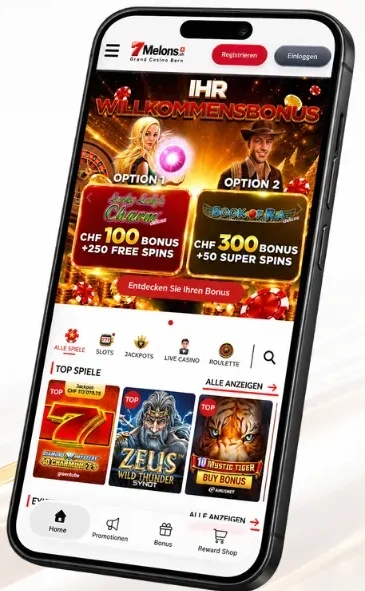

7Melons login and registration

Use your login details to sign in to your 7Melons player account – on desktop, in your mobile browser or in our app. Forgotten your password? You can set a new one using your registered email address.

One personal account per player. Aged 18 or over, resident in Switzerland and not subject to an active gambling block.

Sign in to your account

You use the same personal login details on your smartphone. You do not need a second account for the app.

Open an account with us

You can register with us if you are at least 18 years old, live in Switzerland and are not subject to a gambling block. One player account is permitted per person.

Personal details

During registration, you enter your personal details and create your login details.

Provisional account

After successful registration, your account is initially provisional. Your account must be successfully verified before your first withdrawal.

Confirm your identity

Submit a valid official ID document. If we cannot confirm your address by other means, we also require proof of address.

You may already have an account with us. Our support team can help you check. Any additional account will be closed.

Registration and verification

Your verification documents

Login not working?

Incorrect login details

A typo or an old saved password can prevent you from signing in. Use «Forgotten password?» to set a new one. Too many failed attempts can block your account; our support team can then help.

Account blocked

Pending verification, missing documents or an expired ID can lead to a block. If we need documents from you, we send you an email. An active gambling block prevents participation.

Email missing

Messages can end up in your spam or junk folder. If a password email is still missing or you no longer have access to your registered email address, our support team can help.

Technical issue

If login still does not work with the correct details, our support team can help. The error message, time of the issue and details about your device and browser can help us narrow down the cause.

Questions about 7Melons login

How do I sign in to 7Melons?

Open the casino login and enter your personal login details. On a smartphone, you can use your mobile browser or our app.

How do I reset my password?

Use «Forgotten password?» in the login window and enter your registered email address. We send you a link that lets you set a new password.

The reset email has not arrived. What can I do?

The message may be in your spam or junk folder. If it is not there either, or you no longer have access to your registered email address, our support team can help through the casino help section.

Do I need a separate account for the app?

No. You use your existing player account and the same login details. A second account is not permitted.

What happens after 30 days without verification?

Your provisional account is blocked. You can still complete verification afterwards; it remains blocked until the check has been completed successfully.

Can I withdraw with a provisional account?

No. Your account must be successfully verified before you can make withdrawals. While it is provisional, you can deposit a maximum of CHF 1,000 in total.

How can I find out whether I already have an account?

Our support team can check whether you already have an account with us. Only one player account is permitted per person; any additional account that is opened will be closed.

Why was my account blocked after failed login attempts?

Repeated attempts with incorrect login details can trigger a block. Our support team can help you restore access to your account.

Which documents do I need for verification?

A valid official ID document and, if your address cannot be confirmed by other means, proof of address no more than three months old. The files must be clearly legible and no larger than 5 MB each.

Back to your player account

Your games and bonus offers are available after you sign in to the casino.